


Hockey is exactly the kind of sport that looks easy to film until the puck drops. Players accelerate quickly, the action changes direction without warning, rink lighting can be difficult, and the best camera position may also be the place most likely to be hit by a puck.
For parents, coaches and youth teams, getting useful footage is therefore less about chasing the highest resolution and more about choosing the right position, field of view and recording settings. A bench camera, a player-perspective camera and a fixed camera behind the net all solve different problems.
Before choosing equipment, decide what you actually want the footage to show.
Start With the Purpose of the Video
If the goal is coaching, a very immersive player view is not necessarily the most useful. Coaches often benefit more from a stable, wider angle that shows positioning, passing lanes and how a play develops.
For highlight reels, the priorities change. A low angle near the boards, a view behind the net or an occasional first-person perspective can make short clips far more engaging.
This is where a compact action camera has an advantage over a phone. It can be mounted securely in suitable locations, provides a much wider field of view and is designed to stabilise fast movement without requiring someone to hold the camera throughout the game.
The important part is matching the camera position to the shot rather than trying to use one mount for everything.
Filming From the Bench: Prioritise Coverage
The bench is usually one of the easiest places to capture useful youth hockey footage, provided the team and rink permit filming there.
From this position, a wide lens is valuable because the play can move from one end of the frame to the other very quickly. Pointing the camera too tightly at one zone often means the puck leaves the shot before anyone can react.
A bench camera also benefits from long recording times and easy controls. Constantly stopping and restarting between shifts creates more opportunities to miss an important moment.
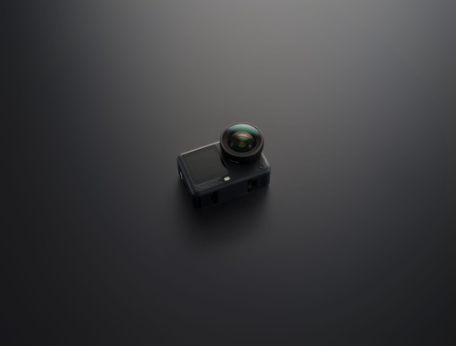
DJI Osmo Action 6 is particularly well suited to this type of setup. Its 1/1.1-inch square CMOS sensor is paired with a 155° field of view and an f/2.0-f/4.0 variable aperture. The wider f/2.0 setting is especially relevant in indoor arenas, where light levels can be much lower than they appear to the eye.
Its Pre-Rec function can also preserve footage from before the record button is pressed, with selectable pre-recording periods from five seconds up to five minutes. For an unpredictable sport, that can be more useful than another headline resolution: if a play develops suddenly, the beginning does not necessarily have to be lost.
Do Not Automatically Use the Highest Frame Rate
Slow motion is attractive for hockey because shots, saves and collisions happen quickly. Osmo Action 6 can record up to 4K/120fps, which gives plenty of flexibility for slowing down a short highlight.
But 120fps should not automatically be the default for an entire indoor game.
Higher frame rates generally require shorter exposure times, leaving less time for each frame to collect light. In a dim arena, 4K/60fps can therefore be a more practical compromise between smooth motion and clean image quality.
Rink lighting can also behave differently on camera than it does to the eye. Before the game, record a short test clip and check for flicker, exposure changes and blown-out ice. The ice surface is extremely bright compared with dark jerseys and the stands, so relying blindly on automatic exposure can produce inconsistent results.
For slow-motion highlights, switch to the higher frame rate when you specifically need it rather than assuming that more frames always produce better footage.
The Helmet Shot Is the One to Treat Most Carefully
First-person hockey footage sounds ideal: viewers see the ice from the player’s perspective, making skating and puck handling feel much faster.
For youth hockey, however, safety equipment comes first.
Do not drill into, modify or attach a camera to a certified hockey helmet simply to get a POV shot. Whether an accessory is allowed can depend on the helmet manufacturer, league, governing body and rink. Any installation that affects the helmet or its certification is not worth the footage.
If helmet mounting is explicitly permitted, weight becomes especially important. Otherwise, use an approved alternative position such as suitable body equipment or another mounting point that does not interfere with protective gear.
This is where DJI Osmo Nano is more appropriate than simply strapping a full-size action camera onto a young player’s head. The camera itself weighs 52 g and uses a 1/1.3-inch sensor with a 143° field of view. It records up to 4K/60fps in normal video and supports RockSteady stabilisation, making it useful when a small wearable perspective is genuinely appropriate.
Its small size is the reason to consider it for approved wearable shots; it is not a reason to bypass equipment rules.
Behind the Net: Great Angle, Difficult Location
A camera behind the goal can produce some of the most useful footage in hockey. It shows goaltender movement, rebounds, traffic around the crease and how an attacking play develops.
It is also a position where careless mounting can become dangerous.
Never place a camera or mount inside the playing area where it could interfere with players or be struck directly. Get rink approval and position equipment only in a protected location outside the field of play, using a mount appropriate for the available barrier or structure.
For a fixed protected position, Osmo Action 6 makes more sense than the smaller Nano because image quality, battery flexibility and recording options matter more than shaving off weight.
RockSteady 3.0 and HorizonSteady are useful if the support structure picks up minor vibrations. Action 6 is designed to operate down to -20°C, but cold conditions can reduce battery life, so plan conservatively for long tournaments or outdoor games.
That distinction matters when filming tournaments or several games in succession: cold conditions, resolution, frame rate, screen use and wireless functions can all affect actual runtime.
Shoot Once, Deliver for More Than One Screen
Youth sports footage rarely stays in one format. A coach may want a normal widescreen recording, while parents and players may want vertical highlights for social media.
Action 6’s square sensor and 4K Custom recording mode are useful here. It can capture a square 3840 × 3840 frame at up to 60fps, giving an editor more freedom to crop the same source footage into horizontal or vertical compositions afterwards.
That can be much more practical than rotating the camera between periods or recording everything vertically and losing useful width for coaching footage.
The camera also has 50 GB of usable built-in storage in addition to microSD support. For tournaments, that is useful insurance if a card fills unexpectedly, although a properly sized memory card should still be the main recording plan.
A Better Setup Is Usually More Than One Angle
If the objective is serious game coverage, trying to make one camera do everything creates compromises.
For most families or teams, Osmo Action 6 is the stronger starting point. Use it from the bench or an approved protected position behind the net, where its larger sensor, wide field of view, variable aperture, stabilisation and recording flexibility directly address the difficulties of hockey.
Osmo Nano makes more sense as a secondary camera when size and weight are the priority—for example, an approved wearable perspective or a discreet supplementary angle. Its 52 g camera body is considerably easier to integrate into lightweight setups, while still providing 4K recording and RockSteady stabilisation.
Most importantly, do not sacrifice safety for a dramatic angle. Get permission when filming youth players, follow rink and league rules, keep cameras outside impact zones, and never compromise certified protective equipment for a mount.
Once those basics are covered, the best hockey footage usually comes from a simple formula: one stable wide view that explains the play, plus a carefully chosen close or POV angle that makes the highlights memorable.
